
REC - Screen | Video Recorder
ZipoAppsVideo Players & Editors
4.62.31K Reviews
- Version
- 4.6.12.1
- Installs
- 10.00M
- Age Rating
- Everyone
Screenshots
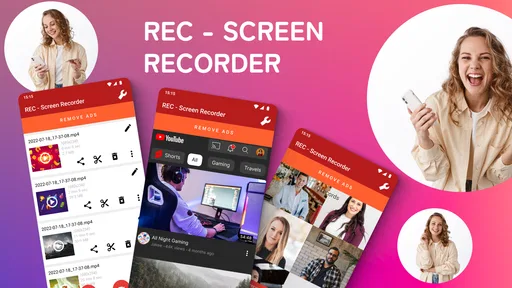
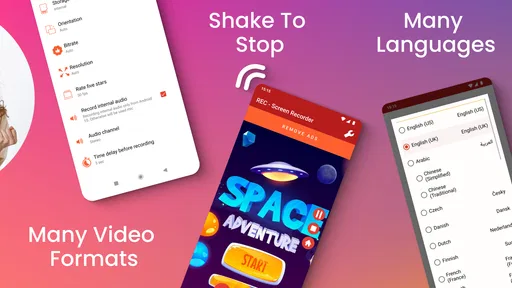
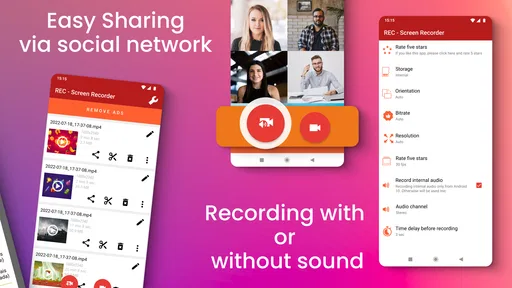
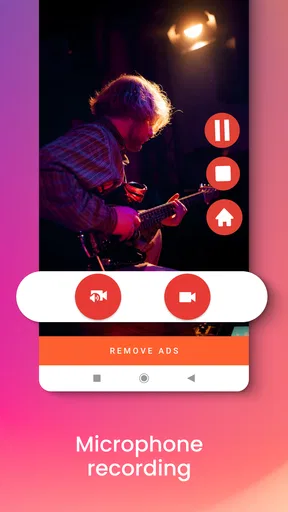
Our Review of REC - Screen | Video Recorder
 Analysis by Appyee
Hey there! So, I recently got my hands on REC - Screen | Video Recorder, and let me tell you, it's been quite a ride. If you're someone who loves capturing what's happening on your screen, whether it's for tutorials, gaming sessions, or just showing off your slick home screen setup, this app might just be what you need.
A First Look at REC - Screen | Video Recorder
When I first downloaded REC - Screen | Video Recorder, I was struck by its simple and clean interface. It's not cluttered, which is great because who wants to spend time figuring out an app when you're itching to record something cool?
Setting it up is a breeze. You just need to grant the necessary permissions, and you're good to go. The app has a straightforward layout, making it easy to navigate even if you're not tech-savvy. Honestly, I appreciated how it didn't bombard me with ads or unnecessary options right off the bat.
Features That Stand Out
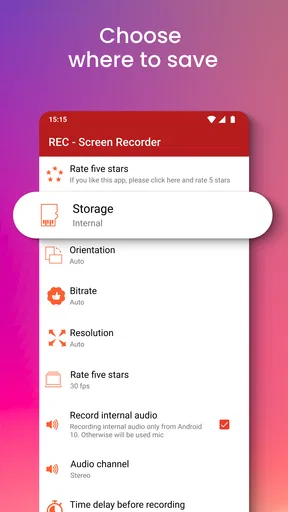
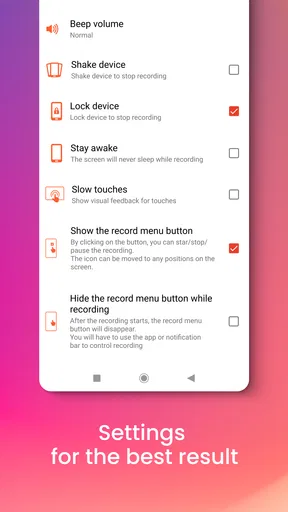
Now, let’s dive into the features. One of my favorites is the customizable resolution and bitrate. You can tweak these settings to suit your needs, which is perfect if you're looking to save space or want high-quality videos. Plus, the app supports recording in HD, which is a win if you ask me.
Another handy feature is the ability to record audio. Whether you want to capture system sounds, use the microphone, or both, it’s all possible. This is especially useful if you’re creating tutorials or commentary videos.
Oh, and did I mention the countdown timer? It gives you a few seconds to get ready before the recording starts. Small detail, but it makes a big difference!
User Experience
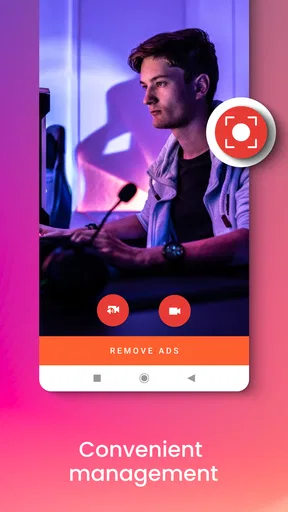
Using the app feels smooth and intuitive. I was able to start recording with just a few taps. There's a floating widget that lets you control the recording without jumping back and forth between the app and whatever you're capturing. Super convenient!
One thing I noticed is how light the app is. It doesn't hog resources, so you don’t have to worry about your phone slowing down or crashing during a recording session. This is a big plus, especially for older devices.
Sharing and Editing
Once you've recorded your masterpiece, sharing it is a piece of cake. The app offers options to share directly to social media or save to your device. However, it doesn’t come with built-in editing tools. If you want to trim or add effects, you’ll need a separate app for that. But hey, it’s a screen recorder, not a full-fledged video editor.
Why You Should Consider It
If you’re on the hunt for a reliable screen recording app, REC - Screen | Video Recorder is a solid choice. It’s easy to use, doesn’t bog down your device, and offers quality recordings with customizable options. Whether you're a gamer, educator, or just someone who loves creating content, this app has something to offer.
So, there you have it! If you’re curious, give it a shot. It might just become your go-to tool for screen recording. Happy recording!
Verdict
Strengths of REC - Screen | Video Recorder
- Easy-to-use interface for quick recording.
- High-quality video output with minimal lag.
- Multiple recording resolutions available.
- Supports external audio for clarity.
- No intrusive ads during recording.
Limitations of REC - Screen | Video Recorder
- Limited editing tools in free version.
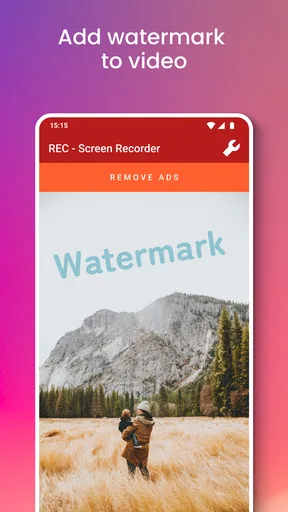
- Requires in-app purchase for watermark removal.
- High battery usage during long recordings.
- No direct cloud storage option.
- May crash on older devices.
Other Releases by ZipoApps
View All
Screen Mirroring - Cast to TV
Video Players & Editors4.3

Cut and Paste Photos
Photography4.6

Edge Lighting - Borderlight
Personalization4.8

Widgets OS 18 - Color Widgets
Personalization4.7
Similar Picks in This Category
View All
Google TV
Google LLC3.9

iTunes
Apple4.7

YouTube
Google LLC3.8

MX Player
Amazon Mobile LLC4.2

CapCut - Video Editor
Bytedance Pte. Ltd.3.5

PLAYit-All in One Video Player
PLAYIT TECHNOLOGY PTE. LTD.4.5
Frequently Asked Questions
What are the main features of REC - Screen | Video Recorder?
REC - Screen | Video Recorder offers a range of features designed to enhance user experience. These include high-quality screen recording, customizable resolution settings, and the ability to record audio from your device or through a microphone. Additionally, users can schedule recordings and use the built-in editor to trim and modify videos.
Is REC - Screen | Video Recorder free to use?
REC - Screen | Video Recorder offers a free version with basic features. However, for advanced functionalities such as removing watermarks, extended recording time, and access to premium editing tools, users may need to purchase a subscription or a one-time premium version. It's advisable to check the app store for current pricing details.
How user-friendly is REC - Screen | Video Recorder for beginners?
The app is designed with user-friendliness in mind, featuring an intuitive interface that is easy to navigate for beginners. It provides step-by-step tutorials and guides on how to start recording and editing videos. The simple one-tap recording function makes it accessible for users with minimal technical knowledge.
Can REC - Screen | Video Recorder handle long recording sessions?
Yes, REC - Screen | Video Recorder is capable of handling long recording sessions. However, the duration may be influenced by device storage and battery life. Users can adjust settings to optimize performance, but it's recommended to monitor storage space and ensure the device is charged for extended recording sessions.
What should I do if the app crashes or freezes during use?
If the app crashes or freezes, try restarting the application and ensuring your device’s operating system is up to date. Clearing the app cache can also resolve performance issues. If problems persist, contacting the app’s support team through their official website or app store page can provide further assistance.
